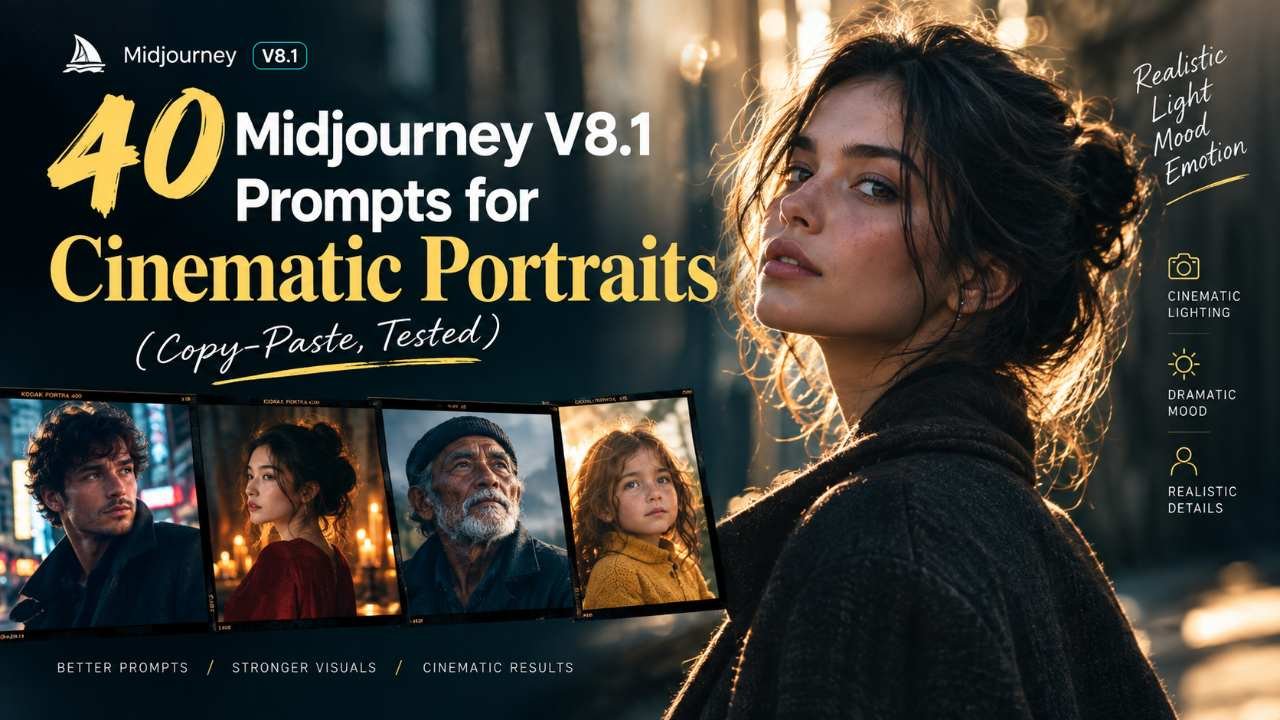
40 Midjourney V8.1 Prompts for Cinematic Portraits (Copy-Paste, Tested)
40 tested Midjourney V8.1 prompts for cinematic portraits — moody, fashion-adjacent, and print-ready HD 2K styles, with full parameter stacks.
I almost skipped writing about V8.1 at all, because my first few sessions with it were genuinely rough. I kept prompting it the exact way I used to prompt V7 — long descriptive strings, --cref for character reference, the works — and half my parameters just got silently ignored. Turned out the problem wasn't the model. It was me still thinking in V7 habits.
Once I actually read through what changed under the hood and rebuilt my prompt structure around it, V8.1 became the fastest I've ever gotten to a usable cinematic portrait. Standard jobs render noticeably quicker than the older versions, HD comes out at full resolution without needing a separate upscale pass, and the SREF (style reference) handling got sharper — colors and lighting moods hold up better across a full batch instead of drifting after the second or third image.
This post is the 40 prompts I ended up with after about a week of testing, split into moody cinematic shots, fashion-adjacent portraits, and print-ready HD 2K work, plus a short Raw Mode comparison section so you're not guessing whether to turn it on. Every prompt has its exact parameter stack written right under it — copy the whole line, paste it into Discord or the web app, and you're done.
What's Actually New in V8.1 for Portrait Work
A few things matter more than the marketing copy suggests:
- Speed. Standard-quality jobs render meaningfully faster than V7, which changes how you work in practice — you can afford to run six variations of a prompt instead of carefully picking two.
- HD without the upscale step. HD images now generate directly at full resolution instead of requiring you to upscale a grid image afterward. For anything going to print, this matters.
- Sharper SREF handling. Style references — the tool you use to lock in a consistent color grade or lighting mood — hold together better across a full session.
- Character reference is gone, for now. This tripped me up the most.
--crefand--oref, which a lot of older guides (including some of my own notes) lean on for keeping a consistent face across shots, aren't supported on V8.1 at the time of writing. If you need face consistency, you're better off using a trained personalization profile or leaning on--sreffor a consistent overall look, and treating V7 as the fallback model when character reference is non-negotiable for a project. --qis retired. If you're used to typing--q 2for higher quality, that's a V7-era flag. On V8.1, quality is handled through the HD/SD toggle instead — either in your settings or with the explicit--hd/--sdtags.
None of this is complicated once you know it. It's just different enough from V7 that copy-pasting old prompt habits wastes credits.
Raw Mode vs. Standard: When It Actually Matters
Raw Mode turns off Midjourney's default "beautification" pass — the thing that makes images look a little more polished and stylized than what you literally described. For cinematic portraits specifically, I found Raw Mode genuinely useful about half the time, not always.
It's worth it when: you want visible skin texture instead of the default smoothing, you're going for documentary or photojournalistic realism, or you've written a very specific lighting setup and want the model to follow it literally instead of "improving" it.
It's not worth it when: you're going for a more painterly, graded cinematic look where some of that automatic polish actually helps, or your prompt is short and vague — Raw Mode with a thin prompt just looks flat.
Here are five paired prompts, same core description, run once standard and once with --raw, so you can see the actual difference instead of taking my word for it.
1. Standard mode
Close-up portrait of a woman in her 30s, moody blue-and-teal cinematic lighting, rain-streaked window in the background, contemplative expression.
Parameters: --ar 4:5 --stylize 250 --chaos 5
2. Same prompt, Raw Mode
Close-up portrait of a woman in her 30s, moody blue-and-teal cinematic lighting, rain-streaked window in the background, contemplative expression.
Parameters: --ar 4:5 --raw --stylize 100
3. Standard mode
Portrait of a man in a worn leather jacket, single warm light source from a streetlamp, foggy alley background, cinematic still.
Parameters: --ar 3:2 --stylize 300
4. Same prompt, Raw Mode
Portrait of a man in a worn leather jacket, single warm light source from a streetlamp, foggy alley background, cinematic still.
Parameters: --ar 3:2 --raw --stylize 150
5. Standard mode, higher chaos for variation
Portrait of an older woman with silver hair, dramatic side lighting, dark academic-style library background, film still aesthetic.
Parameters: --ar 4:5 --stylize 400 --chaos 20
For what it's worth: in the standard-mode versions, faces read slightly more polished and the color grading feels a bit more "finished." In Raw Mode, skin texture and shadow detail come through more honestly, but you sometimes need to push --stylize back up a little or the shot can feel undercooked. Test both on your first pass of any project before committing to one.
15 Moody Cinematic Prompts
-
Close-up portrait of a man in his 40s lit by a single practical light source (a bare bulb) camera-left, deep shadow falling across the right side of his face, dark teal color grade, film still composition.
Parameters: --ar 4:5 --raw --stylize 150 -
Portrait of a woman standing in a doorway backlit by harsh sunlight, her face mostly in silhouette with a thin rim of light on her cheekbone, dust particles visible in the light beam.
Parameters: --ar 3:2 --stylize 300 --chaos 10 -
Cinematic close-up of a detective-type character under interrogation-room lighting, single overhead light casting hard shadows, smoke drifting through frame, desaturated color palette.
Parameters: --ar 16:9 --raw --stylize 100 -
Portrait of a young woman lit only by the glow of a phone screen in a dark room, cool blue color cast on her face, out-of-focus city lights visible through a window behind her.
Parameters: --ar 4:5 --stylize 250 -
Portrait of an old fisherman on a boat deck at dusk, storm clouds behind him, weathered skin and windswept hair, muted blue-gray color grade, documentary realism.
Parameters: --ar 3:2 --raw --stylize 100 -
Close-up of a woman crying softly, single soft key light, dark near-black background, shallow depth of field, restrained emotional cinematic still.
Parameters: --ar 4:5 --raw --stylize 150 -
Portrait of a man walking away from the camera then glancing back over his shoulder, backlit by neon signage, rain-slicked street reflecting the light, cyberpunk-adjacent color grade.
Parameters: --ar 3:2 --stylize 350 --chaos 15 -
Cinematic portrait of a soldier-type character resting against a wall, dim amber light from a single source, dust and grit visible on the skin, war-film color palette.
Parameters: --ar 4:5 --raw --stylize 150 -
Portrait of a woman in a car at night, dashboard lights casting a faint green-blue glow on her face, city lights blurred through the windshield behind her.
Parameters: --ar 16:9 --stylize 200 -
Close-up of a man staring directly into the camera, single hard top-down light creating deep eye-socket shadows, black background, unsettling and stark.
Parameters: --ar 1:1 --raw --stylize 100 -
Portrait of a woman standing in a field at dusk with a single distant lightning flash illuminating her silhouette, storm-blue color grade, sense of scale and isolation.
Parameters: --ar 3:2 --stylize 300 -
Cinematic close-up of an elderly man lit by candlelight, warm flickering light source, deep shadow on one side, painterly but grounded realism.
Parameters: --ar 4:5 --raw --stylize 150 -
Portrait of a boxer between rounds, harsh overhead gym lighting, sweat visible, exhausted expression, high-contrast black-and-white cinematic still.
Parameters: --ar 4:5 --raw --stylize 100 -
Portrait of a woman looking out over a foggy coastline, cool desaturated palette, wind moving her coat and hair, distant lighthouse barely visible in the mist.
Parameters: --ar 3:2 --stylize 250 -
Close-up of a man mid-conversation in a dimly lit bar, warm amber practical lights out of focus behind him, natural candid framing, film-grain texture.
Parameters: --ar 4:5 --raw --stylize 100
10 Fashion-Adjacent Cinematic Portraits
-
Editorial-style portrait of a woman in a structured black coat, hard directional studio light against a plain concrete wall, minimalist high-fashion composition.
Parameters: --ar 4:5 --stylize 400 -
Portrait of a man in a tailored suit standing on an empty subway platform, cool fluorescent overhead lighting, motion blur of a passing train in the background.
Parameters: --ar 3:2 --raw --stylize 200 -
Fashion-forward portrait of a woman in a flowing red dress against a stark white cyclorama background, single hard key light, high-contrast shadow of the fabric.
Parameters: --ar 4:5 --stylize 350 -
Portrait of a man in a leather trench coat walking through an underground parking garage, harsh overhead strip lighting, cinematic architectural framing.
Parameters: --ar 16:9 --raw --stylize 150 -
Editorial close-up of a woman with bold statement jewelry, dramatic side lighting against a deep burgundy backdrop, luxury-magazine styling.
Parameters: --ar 4:5 --stylize 400 -
Portrait of a model on a rooftop at blue hour, city lights beginning to glow behind her, structured minimalist outfit, cool cinematic color grade.
Parameters: --ar 3:2 --stylize 300 -
Fashion portrait of a man in monochrome gray tailoring against a matching gray backdrop, soft directional light, tonal minimalism.
Parameters: --ar 4:5 --raw --stylize 200 -
Portrait of a woman in a metallic silver garment under hard studio strobes, reflective highlights on the fabric, futuristic editorial tone.
Parameters: --ar 4:5 --stylize 450 -
Editorial portrait of a man in workwear-inspired tailoring standing in an industrial warehouse, single shaft of overhead light, gritty high-fashion contrast.
Parameters: --ar 3:2 --raw --stylize 200 -
Portrait of a woman in a sheer overlay dress backlit by a single warm spotlight against total darkness, dramatic silhouette-forward composition.
Parameters: --ar 4:5 --stylize 400 --chaos 10
10 HD 2K Prompts Built for Print
-
Close-up portrait of a woman with visible individual eyelashes and fine skin texture, single softbox light, neutral gray background, built for large-format print.
Parameters: --ar 4:5 --raw --stylize 150 --hd -
Detailed portrait of a man with a full beard, sharp focus across facial hair texture, controlled studio lighting, minimal background, print-resolution detail.
Parameters: --ar 3:2 --raw --stylize 100 --hd -
Editorial portrait of a woman with intricate jewelry and fabric detail, hard directional light emphasizing texture, dark backdrop, gallery-print quality.
Parameters: --ar 4:5 --stylize 300 --hd -
Portrait of an older man with deep facial lines and gray stubble, honest unretouched detail, soft window light, built for a high-resolution print series.
Parameters: --ar 4:5 --raw --stylize 100 --hd -
Close-up portrait of a woman with freckles and natural skin texture, clamshell studio lighting, soft white background, crisp fine detail for print.
Parameters: --ar 1:1 --raw --stylize 150 --hd -
Portrait of a man in fine wool tailoring, texture of the fabric weave clearly visible, controlled studio light, resolution built for a magazine cover crop.
Parameters: --ar 4:5 --stylize 250 --hd -
Detailed close-up of a woman with wet hair and water droplets on skin, hard single-source lighting, dark background, print-grade texture detail.
Parameters: --ar 4:5 --raw --stylize 150 --hd -
Portrait of a dancer mid-pose, fine detail in fabric motion and muscle definition, studio strobe lighting, built for a large gallery-scale print.
Parameters: --ar 3:2 --stylize 300 --hd -
Close-up portrait of a man with detailed skin texture and natural imperfections, single key light, near-black background, editorial print quality.
Parameters: --ar 4:5 --raw --stylize 100 --hd -
Portrait of a woman in profile with crisp detail on jewelry and hair strands, soft rim light, near-black backdrop, resolution suited for a fine-art print edition.
Parameters: --ar 4:5 --raw --stylize 150 --hd
V8.1 Parameter Cheat Sheet
| Parameter | What it does | Notes from testing |
|---|---|---|
--ar | Aspect ratio (e.g. 4:5, 3:2, 16:9) | Integer ratios only; extreme ratios can behave unpredictably |
--raw | Disables default beautification, follows the prompt more literally | Best for texture-heavy or documentary-style shots |
--stylize / --s | Controls artistic intensity (0–1000, default 100) | Push higher for fashion/editorial gloss, lower for realism |
--chaos / --c | Controls variation across the 4-image grid (0–100) | Useful when you want more options to pick from, not a "quality" setting |
--seed | Locks the random starting point for repeatable comparisons | Same seed + same prompt gives similar, not identical, results |
--sref | Style reference — matches color/lighting/texture of a reference image | Now holds up more consistently across a session than in V7 |
--sw | Controls how strongly the style reference is applied (0–1000) | Push past 500 only if the default feels too subtle |
--hd / --sd | HD or standard-definition output | HD now renders at full resolution directly, no upscale pass needed |
--exp | Experimental aesthetic effect, stackable with stylize | Subtle up to ~50, diminishing returns after that |
--cref / --oref | Character/object reference | Not supported on V8.1 at the time of writing — use V7 if this is a hard requirement, or lean on a personalization profile |
--q | Legacy quality flag from V7 | Retired on V8.1 — use --hd/--sd instead |
Quick Answers
What is Midjourney V8.1? It's the current default Midjourney model as of mid-2026, a refinement of the V8 family focused on faster rendering, full-resolution HD output, and sharper style-reference handling, while dropping a few V7-era features like character reference.
Is Raw Mode better for portraits? Not universally — it's better when you want visible texture and literal prompt adherence, which suits documentary or realism-focused portraits. For more stylized, graded, fashion-leaning shots, standard mode's default polish often looks more finished.
If you'd rather skip the trial and error, the Cinematic library on AI Prompt Nexus has several of the moody and fashion-adjacent styles above already built out as ready-to-use prompt pages — copy-ready, parameter stack included.