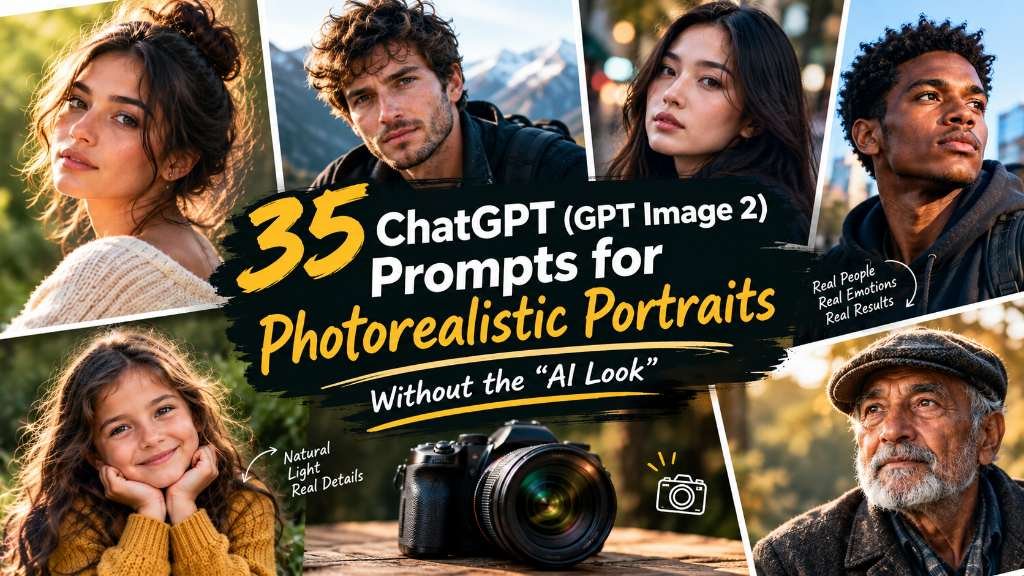
35 ChatGPT (GPT Image 2) Prompts for Photorealistic Portraits Without the "AI Look"
35 tested ChatGPT (GPT Image 2) prompts for photorealistic portraits — natural light, studio, and candid styles that ditch the plasticky AI look.
A friend sent me a ChatGPT-generated headshot last month and asked, half-joking, "does this look real to you?" It didn't. Not because anything was technically wrong with it — the eyes were symmetrical, the lighting was even, the composition was fine. It just had that unmistakable sheen. Skin too smooth, too even, like a beauty filter got applied before the photo was even taken. That's the "AI look," and if you've spent any time generating portraits in ChatGPT, you already know exactly what I mean.
The good news is that ChatGPT Images 2.0, running on the gpt-image-2 model, is genuinely capable of avoiding this — I just had to stop prompting it like I was describing a person and start prompting it like I was briefing a photographer. Once I made that shift, the difference between my "before" and "after" batches was obvious enough that I started keeping a running doc of what worked.
That doc turned into this post. Below: why the default plasticky look happens in the first place, the exact suffix formula I now attach to almost every portrait prompt, and 35 tested prompts split across natural light, studio, and candid/lifestyle styles.
Why ChatGPT Images Look "Plasticky" by Default
A few things are going on. GPT Image 2 is a genuinely strong model — it's the first ChatGPT image model built on its own dedicated architecture instead of being bolted onto the GPT-4o multimodal stack, and it's noticeably better at typography, layout, and following complex instructions than what came before it. But by default, it still leans toward a clean, evenly-lit, symmetrical output, because that's what "looks good" in the average training example and the average user prompt. If you type "portrait of a woman," you'll get competent, pleasant, and completely synthetic-looking skin, hair, and light.
The fix isn't complicated, but it's specific: you need to give the model something to reference other than "a nice photo." Real cameras have grain, depth-of-field falloff, slight motion blur, uneven light, and skin that isn't perfectly even. None of that shows up unless you ask for it directly.
The Fix: Camera and Film-Stock Language (Tested Side by Side)
Here's the exact comparison that convinced me this actually matters, not just in theory.
**Plain prompt: **"Portrait of a man in his 30s, smiling, outdoors." Result: even, soft lighting, symmetric smile, skin with almost no visible pore texture, background pleasantly blurred in a very generic way. Fine. Also obviously generated.
Same prompt + anti-AI-look suffix: "Portrait of a man in his 30s, smiling, outdoors, shot on a 50mm lens at f/1.8, natural asymmetrical smile, visible skin texture and slight under-eye shadow, soft midday overcast light, shot on Kodak Portra 400 film stock, slight grain, no retouching." Result: texture actually shows up. The smile reads as a real half-second captured moment instead of a posed default. The light has direction to it instead of flat, shadowless "studio glow."
The suffix I keep reusing, and that you'll see repeated (with small variations) through every prompt below, is roughly:
"shot on [lens], [specific light source and direction], visible skin texture, natural asymmetry, [film stock or grain reference], no retouching"
You don't need all five pieces every time, but the two that matter most consistently are the lens/light detail and "visible skin texture, no retouching." Drop those two alone into any generic prompt and you'll see a real shift.
One more thing worth knowing: ChatGPT Images 2.0 has a "Thinking" mode for paid plans that plans and self-reviews the image before generating it. I got mixed results using it for these portrait prompts specifically — it's genuinely useful for prompts with a lot of moving parts (multiple people, specific poses, text elements), but for a single-subject portrait it sometimes "corrects" texture and grain back toward the smoother default. If your output looks too clean even after adding the suffix, try switching to standard/instant mode and see if that alone fixes it.
15 Natural-Light Portrait Prompts
-
Portrait of a woman in her late 20s reading by a window, soft indirect daylight falling across her face, shot on a 35mm lens at f/2, visible skin texture, slight shadow under her jaw, no retouching.
-
Close-up of a man laughing outdoors on an overcast day, flat even daylight, natural asymmetrical expression, shot on a 50mm lens, visible pores and stubble texture, slight grain like Kodak Portra 400.
-
Portrait of an older woman sitting on a porch in early morning light, warm low-angle sun, soft shadows across her face, shot on an 85mm lens at f/2.2, honest skin texture, no smoothing.
-
Man standing near a window with soft diffused light on one side of his face, natural shadow falloff, shot on a 50mm lens, visible skin texture, candid unposed expression.
-
Portrait of a young woman outdoors at midday under open shade, even soft light, natural squint from brightness, shot on a 35mm lens at f/1.8, slight film grain, no retouching.
-
Close-up of a man with a light beard sitting near a sunlit doorway, warm directional light, visible individual beard hairs and skin texture, shot on an 85mm lens at f/2.
-
Portrait of a woman walking outside just after rain, overcast soft light, damp hair slightly out of place, shot on a 35mm lens, natural unposed expression, subtle grain.
-
Man in a park at golden hour, warm low sunlight hitting one side of his face, natural skin tone with visible texture, shot on an 85mm lens at f/1.8, shallow depth of field.
-
Portrait of a woman by a large window with sheer curtains diffusing the light, soft even glow, natural asymmetry in her expression, shot on a 50mm lens, no retouching.
-
Close-up of an older man in natural daylight on a cloudy day, muted soft tones, visible wrinkles and gray stubble, shot on a 85mm lens at f/2, honest unretouched detail.
-
Portrait of a woman sitting outside in dappled shade under a tree, patches of light and shadow across her face, shot on a 50mm lens, natural texture, slight grain.
-
Man walking along a street in late afternoon sun, warm side light, natural squint and relaxed expression, shot on a 35mm lens at f/2, candid framing, visible skin texture.
-
Portrait of a woman in soft window light with her hair slightly messy, natural asymmetric smile, shot on a 50mm lens at f/1.8, visible pore texture, no retouching.
-
Close-up of a man outdoors in early evening light, warm color temperature, natural expression mid-conversation, shot on an 85mm lens, subtle skin imperfections visible.
-
Portrait of a woman sitting on outdoor steps in soft afternoon light, natural shadow across half her face, shot on a 35mm lens at f/2.2, honest texture, slight grain like film.
10 Studio Portrait Prompts
-
Studio headshot of a man in his 40s, single softbox light at 45 degrees, neutral gray background, shot on an 85mm lens at f/2, visible skin texture, natural under-eye detail, no retouching.
-
Portrait of a woman with a relaxed half-smile, three-point studio lighting, plain backdrop, shot on a 50mm lens, natural skin texture with visible pores, subtle catchlights in the eyes.
-
Studio close-up of an older man with deep laugh lines, warm directional key light, dark backdrop, shot on an 85mm lens at f/1.8, unretouched honest detail.
-
Portrait of a woman with curly hair, hard single-source studio light creating defined shadow, black background, shot on a 100mm lens, visible individual hair strands and skin texture.
-
Studio headshot of a man with glasses, light positioned to avoid glare, neutral background, shot on an 85mm lens at f/2.5, natural reflection and eye visibility.
-
Portrait of a young woman, soft clamshell lighting, plain white backdrop, shot on a 90mm lens, visible freckles and natural skin texture, no smoothing.
-
Studio portrait of a bald man, rim light separating him from a black background, key light camera-left, shot on a 100mm lens, strong jaw definition, honest skin texture.
-
Close-up of a woman in a blazer, butterfly lighting straight-on, light gray seamless backdrop, shot on a 70mm lens at f/4, natural asymmetry in expression.
-
Portrait of an older woman with gray hair, high-key even lighting, pure white background, shot on a 90mm lens, soft but unsmoothed skin detail, natural gray hair texture.
-
Studio close-up of a man with a full beard, hard directional light bringing out texture in the facial hair, dark background, shot on a 100mm lens at f/2.
10 Candid and Lifestyle Prompts
-
Candid portrait of a woman laughing mid-conversation at a café table, natural window light, motion slightly caught, shot on a 35mm lens, unposed framing, visible skin texture.
-
Man tying his shoes on a park bench, natural overcast light, caught mid-action, shot on a 50mm lens at f/2, candid unposed moment, slight grain.
-
Portrait of a woman cooking in a home kitchen, warm afternoon light through a window, natural focused expression, shot on a 35mm lens, visible texture, no retouching.
-
Candid close-up of a man scrolling his phone on a train, soft window light, natural unguarded expression, shot on a 50mm lens at f/1.8, slight motion blur in the background.
-
Portrait of a woman gardening outdoors, dirt on her hands, natural midday light, focused unposed expression, shot on a 35mm lens, honest skin and texture detail.
-
Man walking a dog in early morning light, breath visible in cool air, natural candid framing, shot on a 50mm lens at f/2, slight grain, unposed movement.
-
Candid portrait of a woman working at a desk, soft desk-lamp light mixed with daylight, natural focused expression, shot on a 35mm lens, visible skin texture.
-
Portrait of a man laughing with friends off-camera, natural outdoor light, genuine unposed expression, shot on a 50mm lens at f/2, slight motion in the frame.
-
Woman carrying grocery bags on a sidewalk, natural late-afternoon light, candid mid-stride framing, shot on a 35mm lens, visible skin texture, no retouching.
-
Portrait of a man reading on a porch in soft evening light, relaxed unposed expression, shot on an 85mm lens at f/2, natural shadow and honest skin detail.
Quick Answers
**How do I make ChatGPT images look more realistic? ** Add specific camera language (lens and aperture), describe the actual light source and direction instead of saying "good lighting," and explicitly ask for visible skin texture and "no retouching." Those three additions do more work than any single stylistic keyword.
**What is GPT Image 2? ** It's OpenAI's dedicated image-generation model (model ID gpt-image-2), released April 21, 2026, and it powers ChatGPT Images 2.0. Unlike earlier ChatGPT image generation that was built on the GPT-4o multimodal backbone, GPT Image 2 runs on its own architecture, with stronger text rendering, layout understanding, and a "Thinking" mode on paid plans that plans and self-reviews an image before generating it.
Want more without rewriting these from scratch? The Portraits library on AI Prompt Nexus has copy-ready versions of the natural-light and studio styles above, prompt stack included.